
Overview
Logging lets you send server event logs to one or more channels. This is useful for moderation, auditing, and keeping track of activity.Available logging events
Available logging events are
messages, member, roles, channels, invites, emojis, and voice.View current logging setup
Use this to see what logging channel(s) and events are currently configured.Adding a logging event
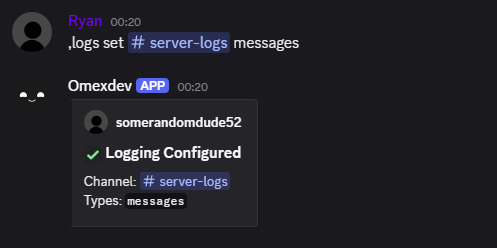
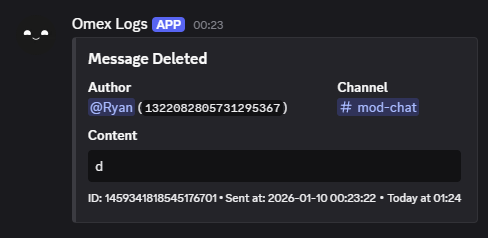
You can enable logging in a channel using thelogs set command.
Removing a logging event
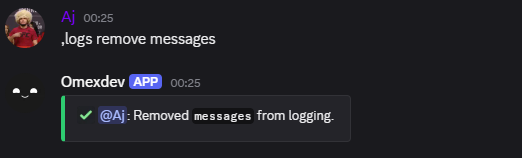
You can remove logging using thelogs remove command.
Ignoring a member or channel
You can ignore a user or channel so their activity won’t be logged.Unignoring a member or channel
Remove a user/channel from the ignore list so they will be logged again.Viewing ignored targets
Use the
logs ignored command to view all ignored members and channels.